Private Image Resizer and Compressor
Image Resizer helps you resize, compress, and export images
Image Resizer is a practical, privacy-focused image utility for resizing, compressing, converting, and exporting images without sending them through an unnecessary upload pipeline.
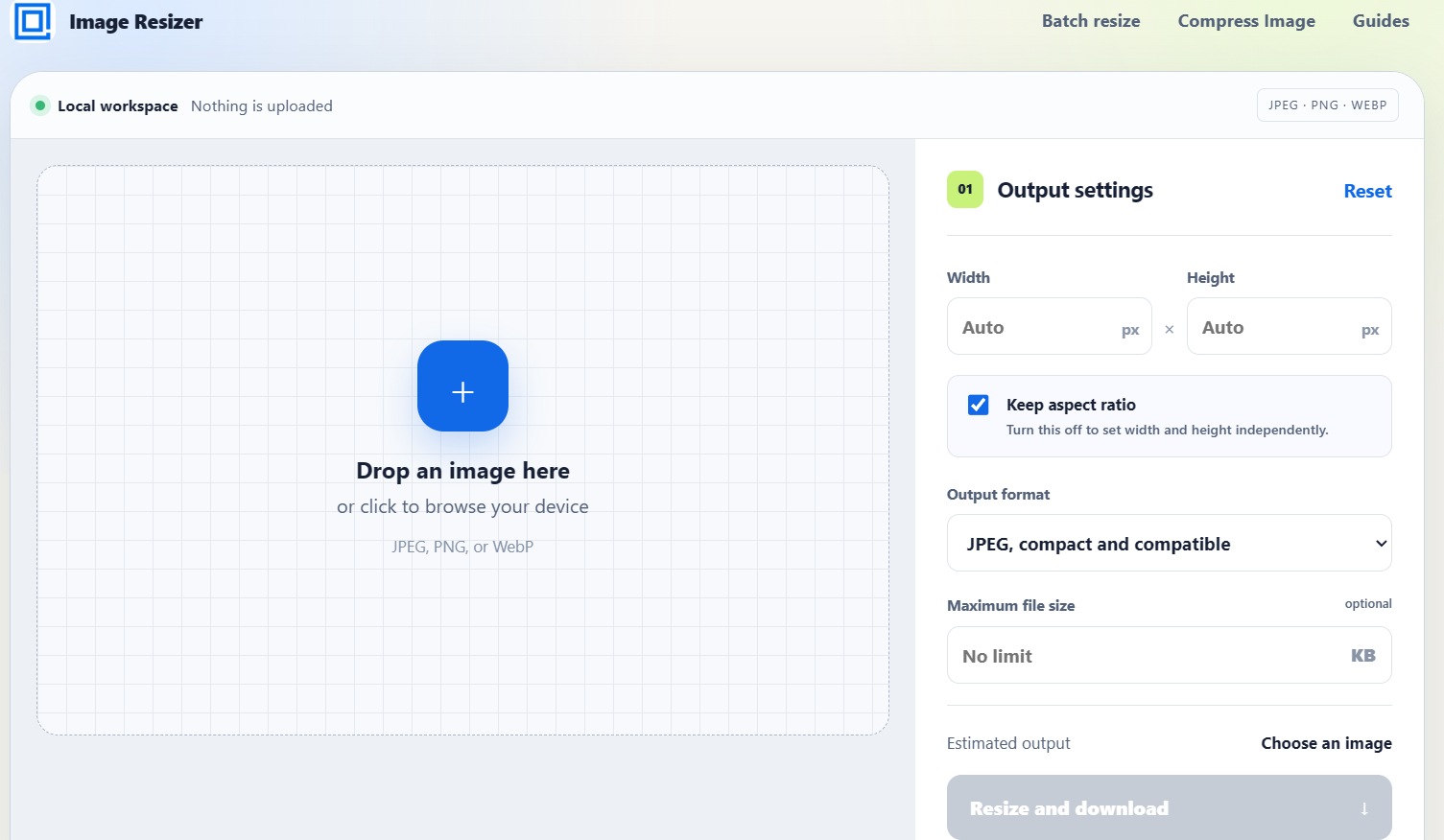
The web app runs image processing directly in your browser. You choose a JPEG, PNG, WebP, or supported image file, preview the selected image, enter exact dimensions, preserve or unlock the aspect ratio, choose an output format, and download the finished result.
Private Image Resizer and Compressor is a practical image utility for resizing, compressing, converting, and exporting images without adding unnecessary friction to a simple task. It is built for people who need to prepare image files quickly, carefully, and privately.
The tool lets you choose an image, preview it, set exact width and height values, keep the original aspect ratio or unlock dimensions independently, choose an output format, and download the processed result. It supports common formats such as JPEG, PNG, and WebP, with focused tools for resizing, compression, and batch processing.
A common image workflow should not require uploading a file to an unknown server just to change its dimensions. Private Image Resizer and Compressor is designed around local processing in the browser. Your selected image is handled on your device, so the resizing and compression workflow stays close to the file you chose. This makes the tool useful for everyday image edits where speed, control, and privacy matter.
Private Image Resizer and Compressor is useful for many routine tasks: reducing image size before uploading to a form, preparing a profile photo, resizing a screenshot for documentation, compressing a picture for email, adjusting a banner, creating social media images, preparing marketplace photos, reducing storage weight, or exporting a file in a more convenient format.
The interface is intentionally direct. You do not need to create an account or move through a long upload process. Select the file, check the preview, adjust the settings, and export the result. The aspect ratio lock helps preserve the original proportions, while independent width and height controls are available when you need an exact output size.
Batch resizing is included for cases where one image is not enough. You can apply the same output settings to multiple files, which is useful for preparing sets of screenshots, product images, blog assets, gallery images, or document attachments.
The compression workflow is designed for practical file-size limits. If a website, form, or publishing system requires an image below a certain size, you can set a maximum file size and let the tool work toward that target. This helps avoid repeated trial and error when a file is too large.
Private Image Resizer and Compressor is not only a website. The project also includes companion tools for different workflows, including browser extensions, an Obsidian plugin, and an Android app. The goal is to make image resizing available where people already work, whether that is in a browser, a notes vault, or on a mobile device.
The product is especially helpful for creators, developers, students, marketers, writers, support teams, small business owners, and anyone who regularly prepares images for online use. It focuses on clear controls, predictable output, and a calmer image editing experience.
Private Image Resizer and Compressor is simple by design: resize images, compress files, convert formats, preview the result, and keep the process private whenever possible.
Links
Screens
Conversation
Be the first to weigh in.
Sign in to join the conversation.
No comments yet. Start the conversation.